HOME | BUSINESS | RV | MARITIME | ROAMING
Starlink Troubleshooting Guide
Starlink Troubleshooting Guide | Diagnose & Resolve Common Starlink Problems
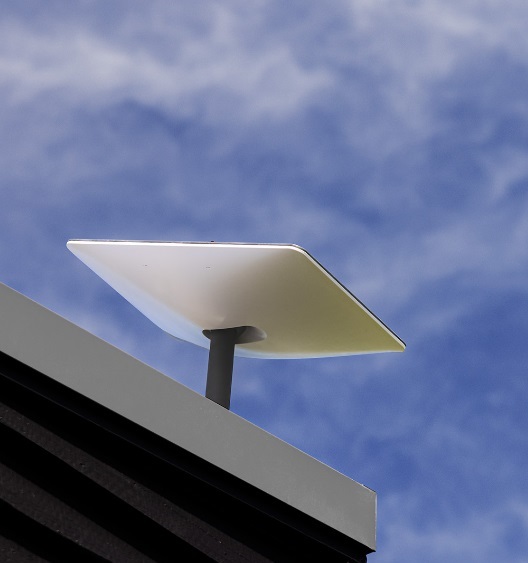
Book us to troubleshoot common Starlink problems, including offline errors, obstructions, slow speeds, Wi-Fi issues, cable faults, router problems, and network performance.
GET A QUOTE & BOOK YOUR INSTALLATION 
Diagnosing and Resolving Common Starlink Performance Issues
Starlink is designed to provide reliable, high-speed satellite internet using one of the world's most advanced Low Earth Orbit (LEO) satellite constellations. While the system is highly automated and requires minimal user intervention, occasional performance issues can occur due to environmental conditions, installation quality, hardware configuration, local network problems, or software updates. Effective troubleshooting begins with understanding how the Starlink system operates and following a structured diagnostic process that identifies the actual source of the problem rather than relying on assumptions.
Every Starlink installation consists of several interconnected components that must operate together successfully. The outdoor antenna communicates with satellites overhead, the communication cable carries power and data between the antenna and the indoor equipment, the router distributes internet connectivity to wired and wireless devices, and the Starlink mobile application provides system status, diagnostics, firmware management, and performance information. A problem affecting any one of these components can influence the overall user experience.
One of the most common issues reported by Starlink users is intermittent connectivity. Temporary service interruptions are often caused by satellite obstructions rather than equipment failure. Trees, nearby buildings, chimneys, rooftop equipment, utility poles, and surrounding terrain can block portions of the sky required for continuous satellite communication. Because Starlink continuously switches between multiple moving satellites, even partial obstructions may create brief interruptions that affect video conferencing, online gaming, or voice communications. The obstruction analysis tools available within the Starlink application provide valuable information for determining whether antenna relocation may improve performance.
Slow internet speeds represent another frequently reported concern. Before assuming the satellite connection is responsible, it is important to distinguish between internet speed and local Wi-Fi performance. Many speed-related complaints originate inside the building due to poor router placement, wireless interference, overloaded networks, outdated client devices, or inadequate indoor coverage. Performing speed tests using both wired Ethernet connections and Wi-Fi connections helps determine whether the limitation exists within the Starlink service or the local wireless network.
Router placement has a direct impact on wireless performance. Installing the router inside cabinets, equipment closets, utility rooms, or behind large furniture significantly reduces wireless coverage. Building materials including concrete, masonry, steel framing, radiant barriers, and mirrored surfaces further weaken radio signals. Larger homes and commercial buildings frequently require mesh networking or multiple wireless access points to provide consistent coverage throughout the property.
Communication cable integrity should also be evaluated during troubleshooting. Outdoor cable sections should be inspected for physical damage, excessive bending, abrasion, rodent activity, loose connectors, or accidental impacts. Building renovations, landscaping projects, roof work, and severe weather can all damage communication cables without immediately disabling service. Proper cable routing, protective conduit, and strain relief significantly reduce the likelihood of future cable-related failures.
Power-related issues can also affect Starlink operation. Loose electrical connections, overloaded circuits, unstable utility power, damaged surge protectors, or failing uninterruptible power supplies may cause unexpected equipment restarts or intermittent outages. Confirming that all equipment receives stable electrical power is an important step in any troubleshooting process, particularly in commercial environments where multiple networking devices share the same electrical infrastructure.
Firmware updates occur automatically and occasionally introduce temporary changes during installation or system optimization. During these maintenance periods the Starlink system may briefly restart or report reduced availability while software updates are applied. Allowing sufficient time for updates to complete before initiating additional troubleshooting helps avoid unnecessary configuration changes.
Network congestion should also be considered when evaluating performance. Modern homes and businesses often operate dozens or even hundreds of connected devices simultaneously, including streaming televisions, smartphones, computers, security cameras, gaming consoles, cloud backup services, voice assistants, printers, and Internet of Things (IoT) equipment. High bandwidth utilization by one device can affect the experience of others. Reviewing connected devices and implementing Quality of Service (QoS) policies or bandwidth management can significantly improve overall network responsiveness.
Weather conditions may temporarily influence satellite communication, although Starlink is engineered to operate under a wide range of environmental conditions. Heavy rainfall, dense snow accumulation, severe thunderstorms, or ice buildup can reduce signal quality for short periods. Modern Starlink antennas incorporate automatic snow-melting capabilities, but maintaining a clear antenna surface remains important in regions experiencing significant winter weather.
For commercial and enterprise installations, troubleshooting extends beyond the Starlink equipment itself. Firewalls, managed switches, VPN appliances, SD-WAN devices, wireless controllers, and network security policies may all influence connectivity. Diagnosing these environments often requires reviewing network logs, interface status, DHCP services, DNS resolution, routing tables, and gateway performance to determine whether the issue originates within the satellite connection or elsewhere in the network infrastructure.
When troubleshooting does not identify a clear solution, documenting symptoms becomes extremely valuable. Recording the time of occurrence, weather conditions, affected applications, connected devices, observed error messages, and recent configuration changes provides valuable information that can accelerate diagnosis and resolution. Maintaining a systematic troubleshooting process avoids unnecessary equipment replacement while helping identify recurring conditions that may require installation improvements.
Successful Starlink troubleshooting combines technical knowledge, careful observation, and logical analysis. Rather than focusing on a single component, professional diagnostics evaluate the complete communications system, including satellite visibility, mounting integrity, cable condition, router configuration, wireless coverage, electrical infrastructure, and local network performance. This comprehensive approach not only resolves existing issues but also improves long-term reliability, helping users achieve the full performance potential of their Starlink internet system.
---
Recommended H2 Sections
Understanding the Starlink System
Component:
Antenna
Router
Power
Cable
Wi-Fi
Ethernet
Starlink App
---
Common Starlink Error Messages
Offline
Booting
Searching
Obstructed
Poor Ethernet Connection
Disconnected
Rebooting
Updating
No Signal
Network Issue
---
Diagnosing Slow Speeds
Wi-Fi vs. Internet
Speed testing
Congestion
Peak usage
Obstructions
Router placement
---
Weather-Related Performance
Rain fade
Snow
Ice
Wind
Heat
Dust
---
Advanced Network Troubleshooting
DNS
DHCP
NAT
VPN
Firewalls
Managed switches
VLANs
Ethernet testing
---
Preventative Maintenance
Firmware updates
Cable inspection
Mount inspection
Cleaning the antenna
Tree growth monitoring
Router reboots
Network monitoring
---
Frequently Asked Questions
Why does my Starlink disconnect every few minutes?
Why is my Starlink slower than expected?
How do I know if trees are blocking the signal?
Should I reboot my Starlink router?
Can weather affect Starlink?
How do I test my Starlink speed correctly?
When should I relocate my Starlink antenna?
How often does Starlink update its firmware?
Serving All Southern CA
FREE CONSULT & ESTIMATE
CALL NOW
310-470-2320 / 800-882-2046
install@StarLinklosangeles.com
Get Quote & Schedule Best StarLink Internet Satellite Dish Installation Services by Our pro StarLink Installers in all Southern CA cities, from N. Santa Barbara to San Diego, Palm Spring & Los Angeles for Businesses, Homes, RVs, Mobile Homes and Boats Call 310-470-2320 - StarLinkLosAngeles.com
Learn how to troubleshoot common Starlink problems, including offline errors, obstructions, slow speeds, Wi-Fi issues, cable faults, router problems, and network performance.
